

CBLUE Chart
Academic
Structured clinical documentation built for EMT and paramedic students during clinical rotations, internships, ride-alongs, and real patient contacts.
Create once. Copy where required. Build habits that carry into your career.
Access is managed by participating schools and training programs. Some institutions may utilize individual student payment processing.
Built For Real Student Documentation
More than a teaching tool.
CBLUE Chart Academic is built for EMT and paramedic students documenting real patient contacts during clinicals, internships, ride-alongs, and field training. It gives students one structured narrative workflow they can use to create a clean chart, then copy and paste where required.
Instead of rebuilding the same story across different systems, students can draft once inside CBLUE Chart Academic and carry that narrative into a school RMS, agency RMS, or other required charting environment. That reduces duplicate work while helping students build stronger documentation habits through repetition.
Schools manage access, instructors, students, and template visibility at the program level. The narrative workflow itself mirrors the professional product, so students are not learning a separate academic-only system. They are learning a documentation process they can continue using after graduation.
Best Fit
Designed for programs that want structure and real-world utility
Why Programs Choose It
Built for real student workflow, not just practice.
CBLUE Chart Academic supports live documentation use while giving schools control over access, templates, and deployment.
One Narrative, Multiple Destinations
Students create a structured narrative once, then copy and paste where required—school RMS, agency RMS, internship systems, or other charting environments.
Same Core Engine as Professional
Academic uses the same narrative workflow foundation as the professional product, helping students build habits that continue after graduation.
Institution-Managed Access
Schools control access at the program level, including lead admin onboarding, instructor roles, student enrollment, and access windows.
Template Control by Program
Programs can create custom templates, assign approved formats, and control which templates students are allowed to use.
Built for Clinicals & Internships
Designed for real student documentation during patient contacts, field training, ride-alongs, and clinical rotations.
Faster Repetition, Better Habits
Structured repetition helps students improve organization, consistency, and confidence with chart documentation over time.
How It Works
Institution managed. Student ready.
CBLUE Ops grants access to the organization and lead administrator. From there, the school manages the student environment internally.
Program Purchases Access
Schools, academies, or training organizations purchase access for their program rather than requiring individual student subscriptions.
Lead Admin Onboarding
The designated program administrator receives access first, completes onboarding, and configures the academic environment.
Add Instructors & Students
Programs manage instructor roles, student enrollment, class access windows, and user permissions directly inside the portal.
Students Document Real Calls
Students use the same structured narrative workflow during clinicals, internships, ride-alongs, and patient contacts.
Copy Where Required
Completed narratives can be copied into school systems, agency RMS platforms, or other required charting destinations.
Graduate With Experience
Students finish school already familiar with a structured documentation workflow that can continue into the professional version.
Product Paths
Academic now. Professional later.
Both products share the same structured documentation philosophy, but they are built for different stages of the responder journey.
Academic
Built for students and programs
- • Institution-purchased access
- • School-managed instructors and students
- • Custom templates controlled by program
- • Ideal for clinicals and internships
- • Copy into school or agency RMS systems
- • Same narrative engine as professional
Professional
Built for working clinicians
- • Individual subscription model
- • Personal long-term access
- • Daily EMS workflow utility
- • Private templates and personal setup
- • Field-ready structured charting
- • Continue after graduation
Start in school. Continue in the field.
Students who use CBLUE Chart Academic graduate already familiar with the workflow, reducing friction when transitioning into the professional version after licensure.
Product Preview
Real software. Real academic workflow.
CBLUE Chart Academic gives schools administrative control while giving instructors and students access to a structured documentation environment built for real training use.
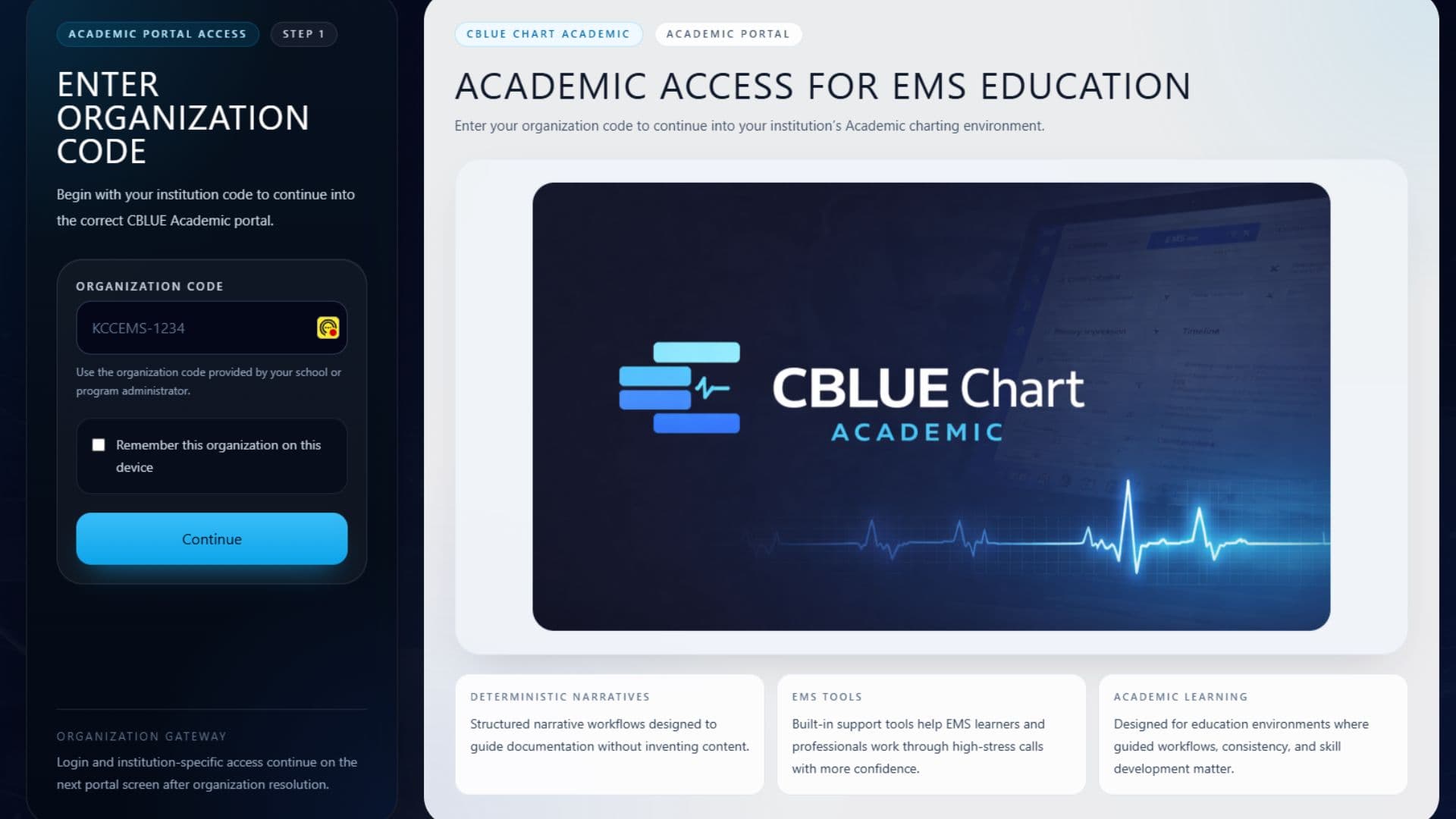
Slide 1 of 23
Academic Access Gateway
Students and instructors begin by entering their organization code so they are routed into the correct school-managed academic environment.
A real deployment platform.
Schools manage branding, instructors, classes, and narrative standards while students and faculty work inside a shared documentation system built for real clinical and internship use.
Program Access
Bring CBLUE Chart Academic to your program.
Give students a structured documentation workflow they can use during clinicals, internships, and patient contacts—while your institution manages templates, access, instructors, and enrollment.
Students build real documentation habits now and transition into the professional version later with familiarity already in place.
Institution-managed licensing. Not sold as an individual student plan.
Student Payment Portal
Individual student payment processing
Some institutions may elect to have students submit their academic access payment individually instead of direct institutional billing.
If your school or training program instructed you to complete an academic student payment, use the Student Payment Portal below.
Student payment processing availability depends on your institution or program participation settings.
FAQ
Questions from schools and programs.
Straight answers about access, deployment, student use, and program management.
Who is CBLUE Chart Academic designed for?
CBLUE Chart Academic is built for EMT programs, paramedic programs, academies, colleges, and training organizations that want a structured documentation workflow for students in real training environments.
Is this just a narrative writing practice tool?
No. Students use CBLUE Chart Academic during clinicals, internships, ride-alongs, and patient contacts to build real narratives that can be copied into school RMS or agency charting systems.
How is access managed?
The institution purchases access. CBLUE Ops grants entitlement to the organization and lead administrator, then the school manages instructors, students, and program access internally.
Can schools control templates?
Yes. Programs can create custom templates, assign approved formats, and restrict which templates students are allowed to use.
Is the narrative tool different from the professional version?
The core narrative workflow is the same foundation used in the professional version. Academic adds institution management, user roles, and program-level controls.
Can students continue using CBLUE after graduation?
Yes. Students already familiar with the workflow can transition into the professional version after graduation and continue using the platform independently.
Does CBLUE Chart Academic store PHI?
The system is designed around session-based structured workflow principles intended to minimize unnecessary data retention inside the platform.
How do we request pricing?
Programs can contact CBLUE Ops through the request access or institution inquiry path to discuss pricing, setup, and deployment options.
Built for programs that want more than generic chart practice.
CBLUE Chart Academic helps students document real experiences during training while giving institutions control over deployment, structure, and standards.